Overview
Organizations can automatically monitor and log errors returned by external services, including credit card providers and other third-party APIs. This helps improve operational resilience by reducing downtime, minimizing customer impact, and enabling a proactive approach to incident management.
Previously, failures from external services (such as HTTP 500 or 404 responses) could only be identified through manual review of synchronization logs, limiting visibility into integration issues.
With this module, CommBox automatically detects recurring failures from external services, logs and tracks integration errors in a structured manner, and provides enhanced visibility into the health of third-party services. This enables faster troubleshooting and more effective incident response.
Configuration
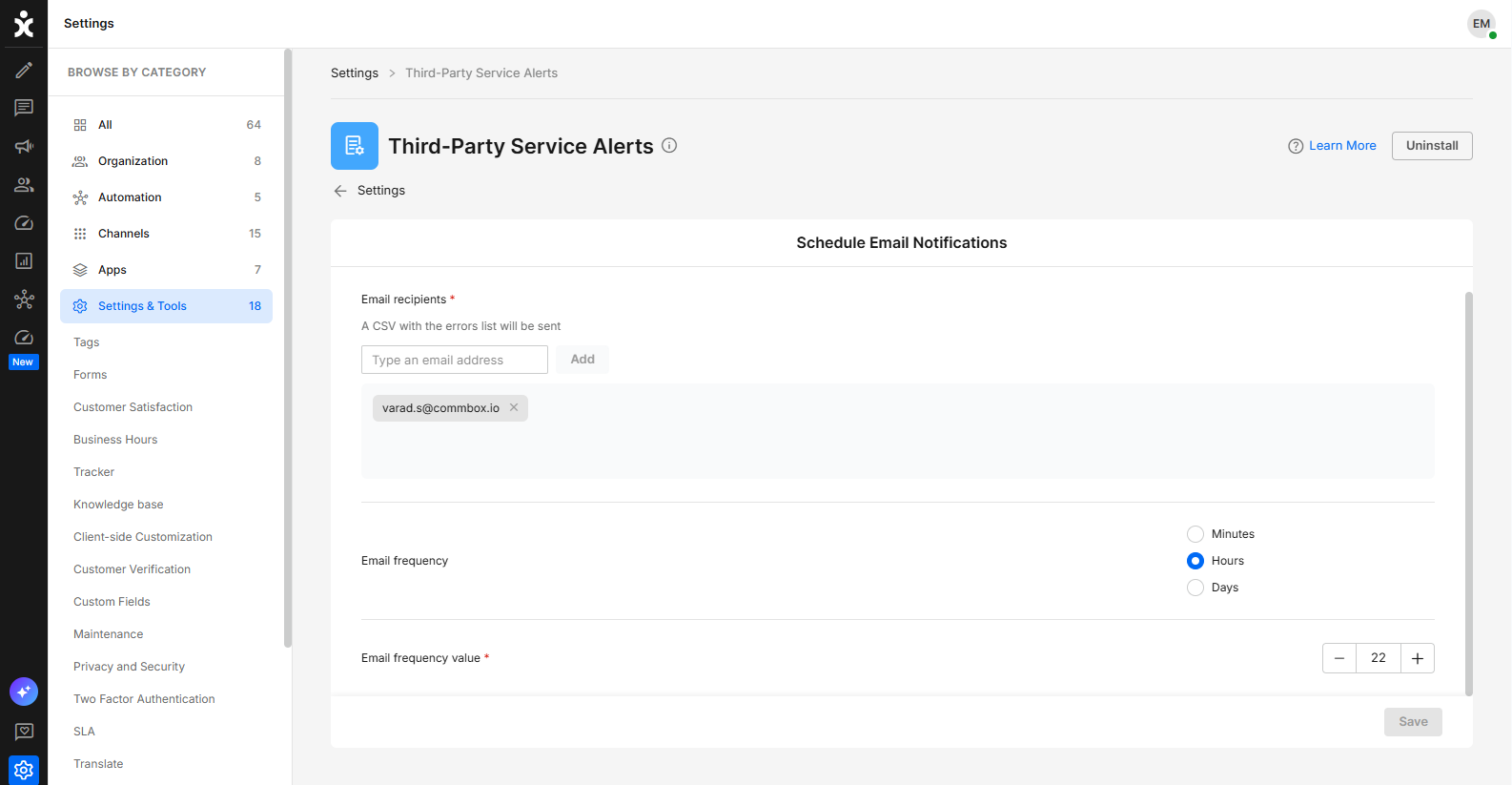
- Navigate to Settings > Third-Party Service Alerts module in the Settings & Tools section.
- Enter the email address of the intended recipient and click Add.
Note: Recipients must have admin credentials. - Select the frequency for receiving notifications (Every X minutes/hours/days).
- We recommend receiving a report once per week.
- If no failures are detected during the selected period, no report will be generated.
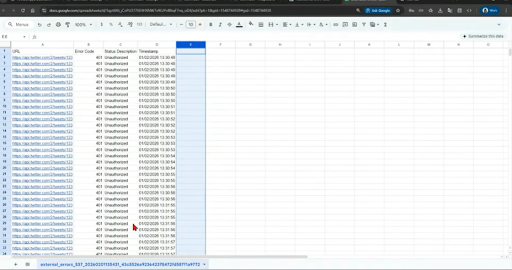
- All configured recipients will receive an email containing a CSV attachment similar to the example below.
In the event of recurring failures, you can increase the reporting frequency to support faster investigation of the root cause and implementation of corrective actions. - Click Save to apply your changes.