Overview
.png)
Era Insights is a powerful new AI-driven analytics capability that transforms large volumes of customer conversation data into clear, actionable business intelligence. Powered by advanced large language models (LLMs), Era Insights enables admins to uncover patterns, trends, sentiment, and operational opportunities through simple natural language queries. By eliminating the need to manually analyze thousands of interactions, it bridges the gap between data abundance and actionable insight, helping organizations quickly identify emerging issues, optimize performance, and make faster, data-driven decisions.
Key Considerations
- Era Insights analyzes aggregated conversation data. Use it to identify trends, patterns, and insights across conversations rather than to retrieve information about a specific customer interaction or general information about CommBox’s features.
- Ask clear, specific questions. Include relevant details such as the channel, time period, team, or metric to help Era Insights return more accurate and useful results.
- Recent conversations preserve the original results. When you select an item from Recents, Era Insights displays the data and answer generated when the question was originally asked. The results are not refreshed.
- Favorites rerun the query. When you select a question from Favorites, Era Insights asks the question again and generates a new answer based on the latest available data.
- Pulse reports are scheduled report reruns of the selected question at the scheduled time.
- Pinned Pulse questions can be added as cards to the Era Insights welcome screen, providing quick access to frequently monitored insights. The cards refresh automatically according to the Pulse frequency configured for each question.
- Privacy and Security - Customer’s Personally Identifiable Information (PII) is masked from the AI agent to ensure the security and protection of organizational data.
- Responses are AI-generated. Results should be treated as analytical insights and may require verification when used for important business decisions.
Start a Conversation
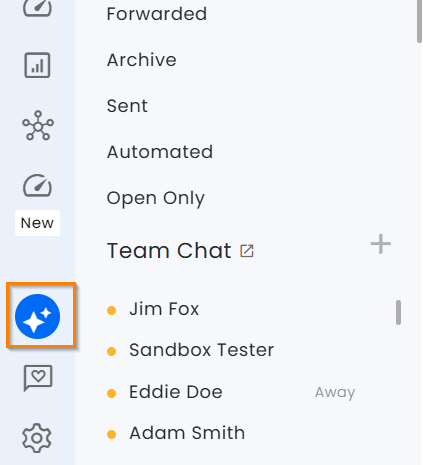
Use the launcher to open Era Insights and ask a question about aggregated conversation data.
For example:
- Who are the five most active agents?
- How many WhatsApp calls were handled today?
- In the past week, how many times did customers have to upload documents?
Conversation History
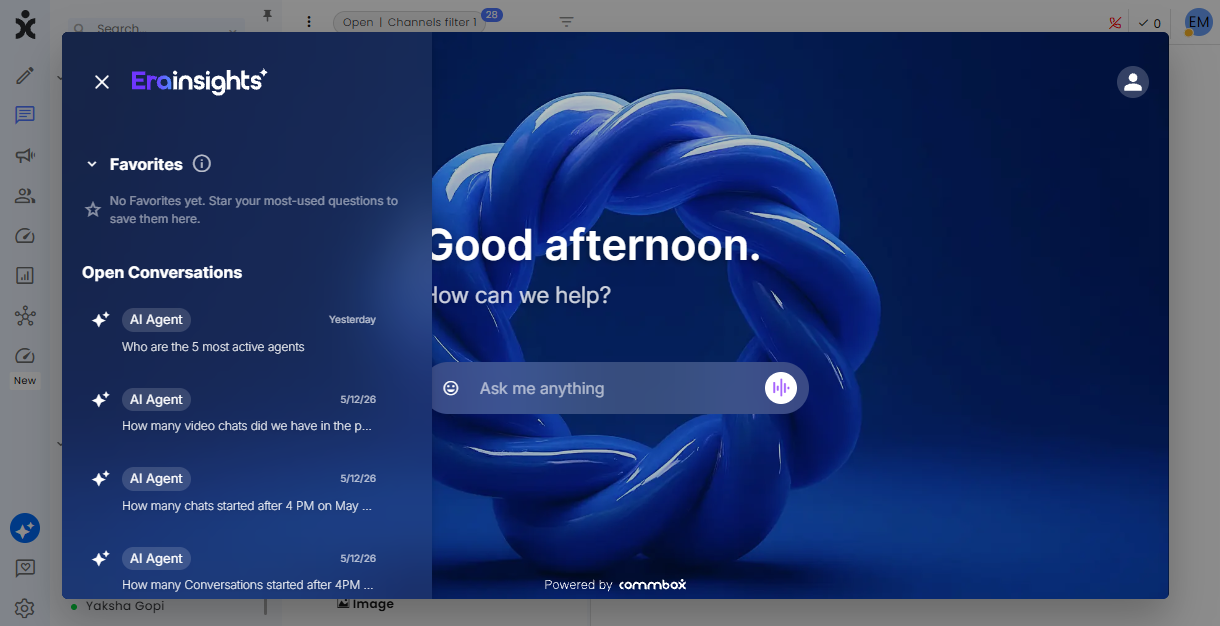
Click the menu icon in the top corner to open the conversation history (next to the Era logo).
Select the desired conversation you want to continue.
Favorites
.png)
Common queries can be saved in the Favorites section. Instead of typing the same question every time, simply click a saved item to instantly retrieve an updated answer.
To add an inquiry to Favorites, click the star icon at the bottom of the answer.
To remove an inquiry from the Favorites list, either click the three-dot menu that appears when hovering over the item or click the filled star icon in the reply to “undo” the favorite status.
Pulse
Pulse lets you receive recurring updates for Era Insights questions you want to follow, without having to manually return and ask them again.
-
Select a question from the Recents or Favorites sections you want to follow, or type in a new one.
-
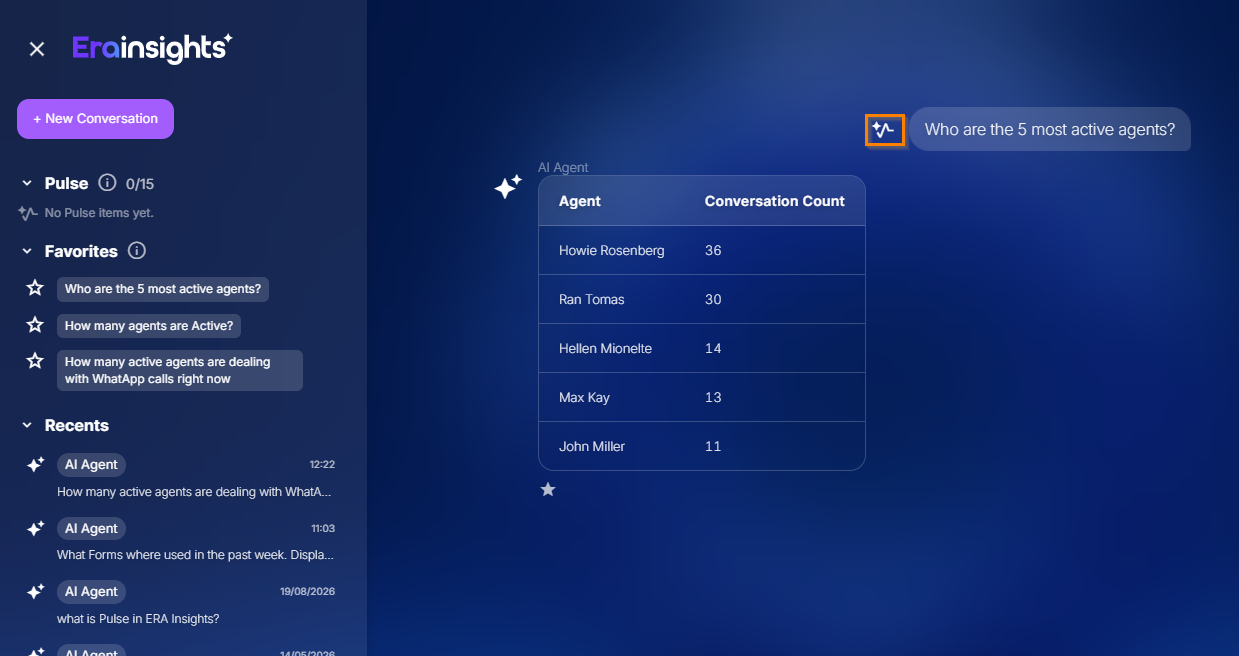
Click the Pulse icon next to the question
-
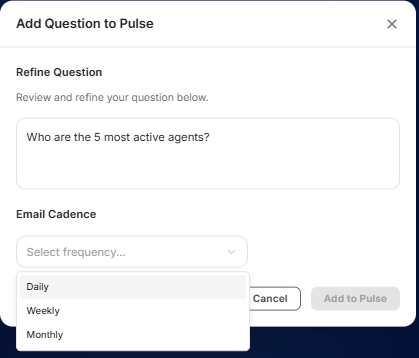
Choose a daily, weekly, or monthly schedule. (Daily at 8 AM, Weekly on the first business day, Monthly on the 1st of the month)
-
Click Add to Pulse
Pulse automatically generates an AI-powered email report to your email account using the latest available data. This can help you monitor important metrics, identify changes and trends, and spot areas that may require attention.
From the email report, you can open Era Insights to explore the underlying insights and continue the conversation.
You can set up to 15 Pulse reports - 5 from each frequency type.
Edit or delete the Pulse reporting by clicking the 3-dot menu when hovering next to the Pulse items.
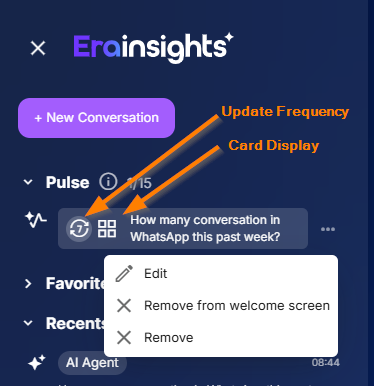
Welcome Screen Cards
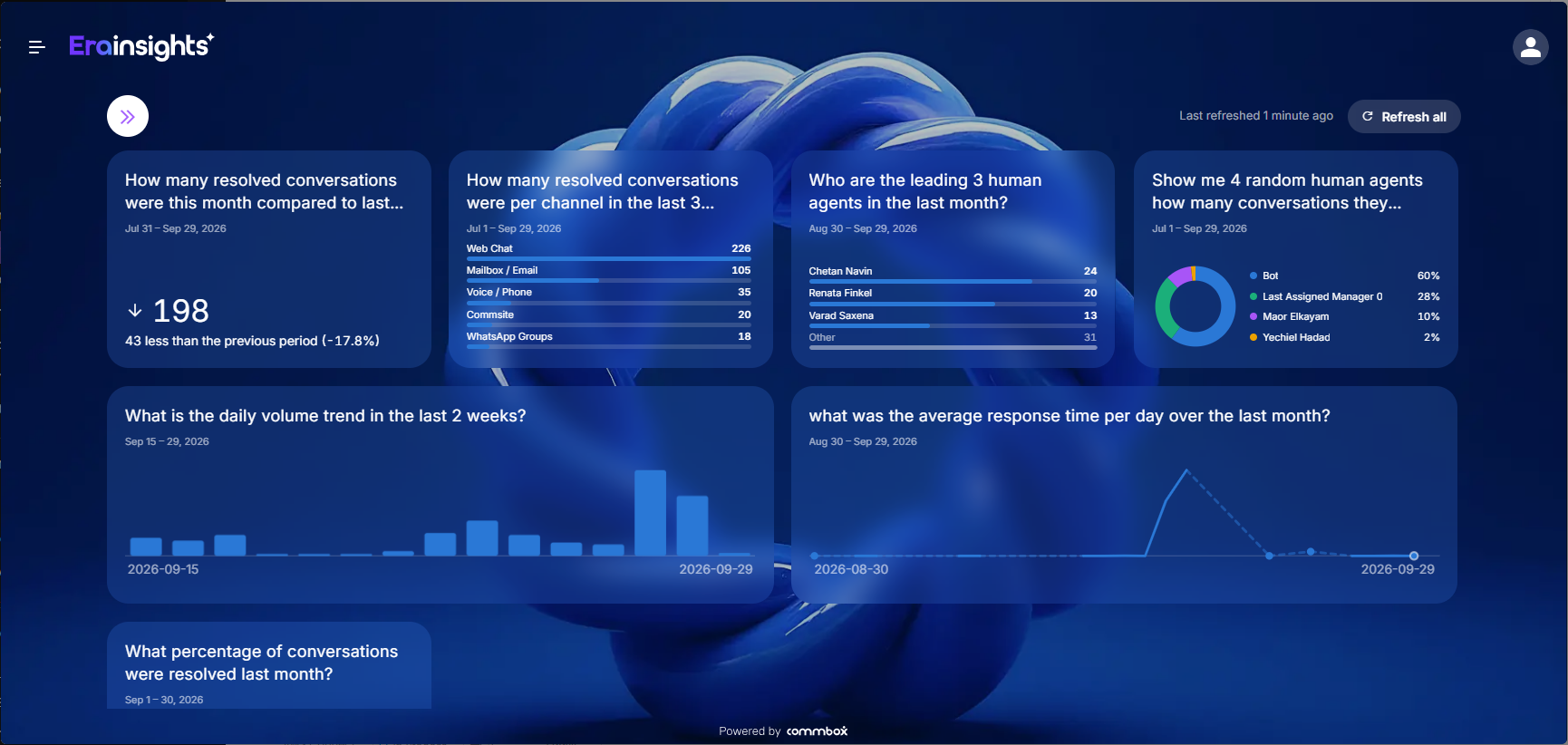
Managers can add pinned Pulse questions as cards to the Era Insights welcome screen by hovering next to the Pulse item, clicking the 3-dot menu, and selecting Show on welcome screen. This makes frequently monitored insights available as soon as you open Era Insights, without having to ask the same questions again.
.png)
When multiple cards are displayed, click the double-arrow icon to expand the view.
Privacy and Security
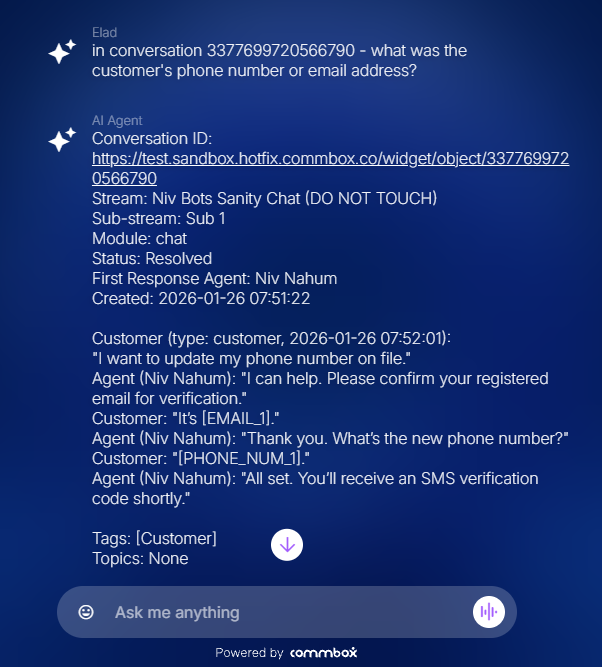
Customer’s Personally Identifiable Information (PII) is masked from the AI agent to ensure the security and protection of organizational data.
When relating to a specific conversation, PII items will be presented in brackets with the field's name.