2026 Release Notes
Release Date: Feb 2nd, 2026
Release Notes Publication: Jan 22nd, 2026
Real-Time Dashboard
New – Real-Time Dashboard (Beta)
.png)
We are excited to introduce our new Real-Time Dashboard, offering managers an intuitive, customizable view of organizational metrics. With flexible widgets that deliver relevant data on conversations and agent performance, managers can effortlessly share insights with authorized team members, fostering a collaborative and data-driven approach to management.
The new dashboard is currently available exclusively to customers with early access.
To join the program, please contact your CommBox representative.
Click here for the user guide.
AI Agent SIP
New – Voice AI Agent
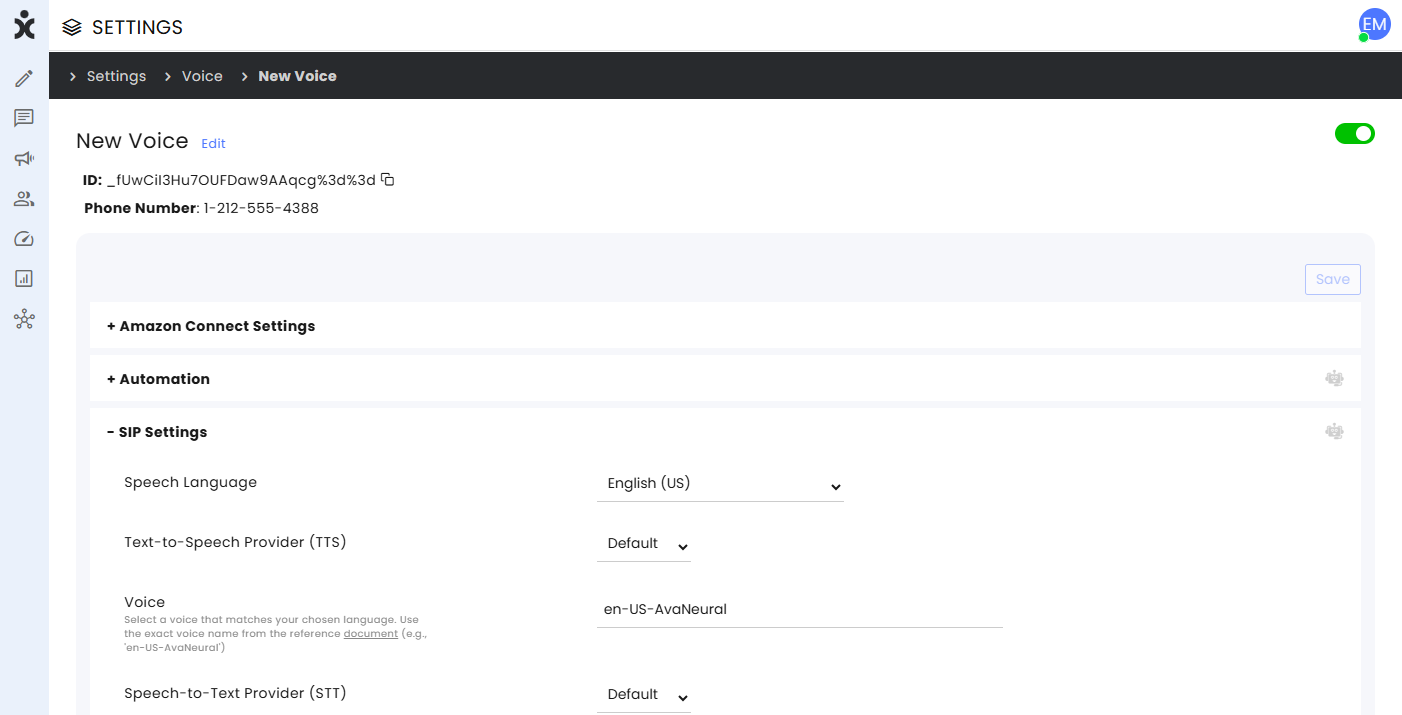
Organizations can now launch our next-generation Voice AI Agent, utilizing SIP technology, to deliver scalable and reliable voice calls with natural, customizable AI-driven conversations. The SIP-based architecture ensures high-quality call audio, enterprise-grade reliability, and effortless integration with existing telephony systems.
Click here for the updated user guide.
AI Agent Email Customers' Requested Feature
New – AI Summary for Emails
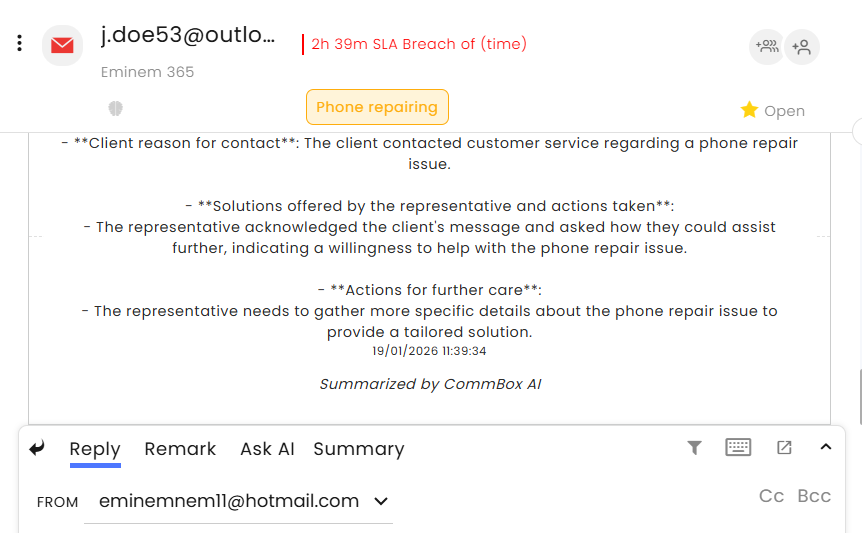
With this release, we have completed the AI conversation summary capability across all applicable channels. Agents can now instantly generate a concise AI summary of an email conversation, saving time and effort and allowing them to focus on higher-value tasks and additional assignments.
Forms Customers' Requested Feature
New – Selecting Forms from Reply Box
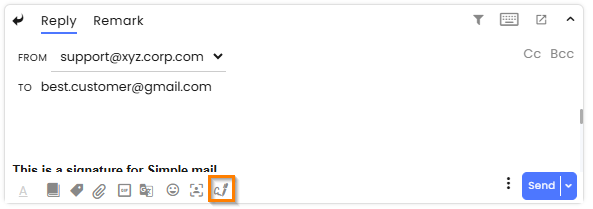
Agents can now select a form directly from the reply box or compose screen, making it faster to prefill and send forms during a conversation.
This enhancement simplifies the workflow, enabling agents to respond to customer needs more efficiently.
Click here for the updated Forms guide.
Inbox Customers' Requested Feature
New – Preferred Messaging Status
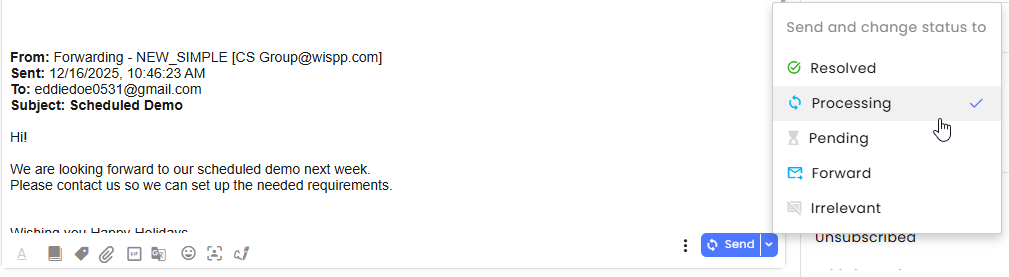
Agents can now save their preferred sending option, ensuring that all subsequent replies automatically follow the same path, improving both efficiency and consistency.
After selecting the Send and Change Status To option (next to the Send button), all subsequent messages sent using the regular Send button will automatically apply the previously selected status change. The selected status is also displayed on the Send button for easy reference.
API AI Customers' Requested Feature
New – API for Conversation Summaries
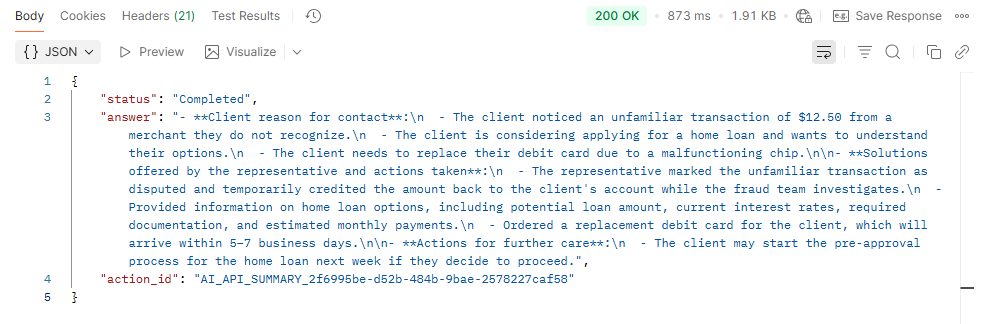
Organizations can now generate AI-based conversation summaries using APIs.
The summary payload is returned in the requested language, enabling easy localization, and can also be forwarded to a webhook for further processing. This capability helps reduce agent handling time, improves context sharing across teams and systems, and enables seamless integration of conversation insights into external workflows such as CRM updates, analytics, and quality monitoring.
Click here for the Developer Center.
Forms Customers' Requested Feature
Enhancement – On-Demand Documents

Organizations can now allow customers to access previously signed forms at any time, eliminating the need to contact customer support to obtain signed copies.
This capability is managed through the Forms module. Click here to learn more.
Flow Builder
Enhancement –Flow Duplication
.png)
Flow Builders can now duplicate the published version of an AI Agent, allowing easy modification and testing without affecting the currently published version.
To duplicate a flow, click the three-dot menu at the end of the line and select Duplicate.
The original name is preserved, with a timestamp added to the duplicate, ensuring both the original and the copy appear next to each other in the list of AI Agents.
Email Customers' Requested Feature
Enhancement – Email Snippet
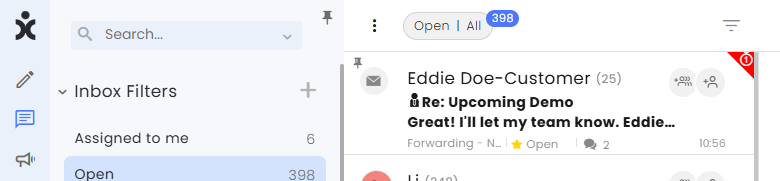
Agents can now view a snippet of the most recent message in email conversations, improving efficiency and providing better context. Snippets of unread messages are displayed in bold, even if another agent has already replied, ensuring each agent clearly sees their own unread items and avoiding confusion.
Note that images and HTML tags are not supported in the snippets. All content is converted to plain text.
Campaigns Customers' Requested Feature
Enhancement – Channel-Based Campaign Permissions
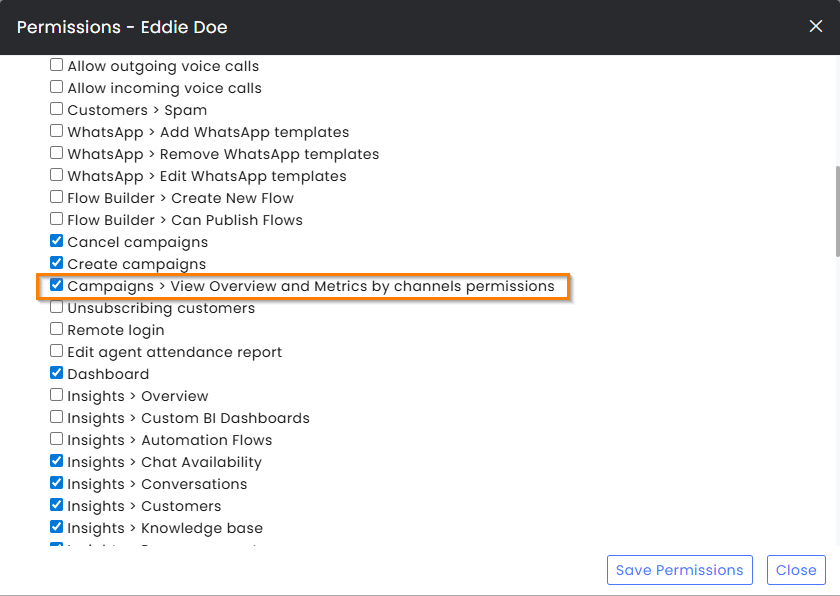
Organizations can now segment the Campaigns Metrics page based on channel permissions, enabling each department to focus exclusively on its own campaign activities. This eliminates the need to review irrelevant data and ensures that departments retain full control over their campaign information.
To restrict agents’ access to only the channels they are permitted to view, admins must enable the Campaigns > View Overview and Metrics by channels permissions.
To grant agents the same visibility as admins, enable Admin Permissions > Campaigns Overview and Metrics.
Channels Customers' Requested Feature
Enhancement – Channel Transfer Permissions
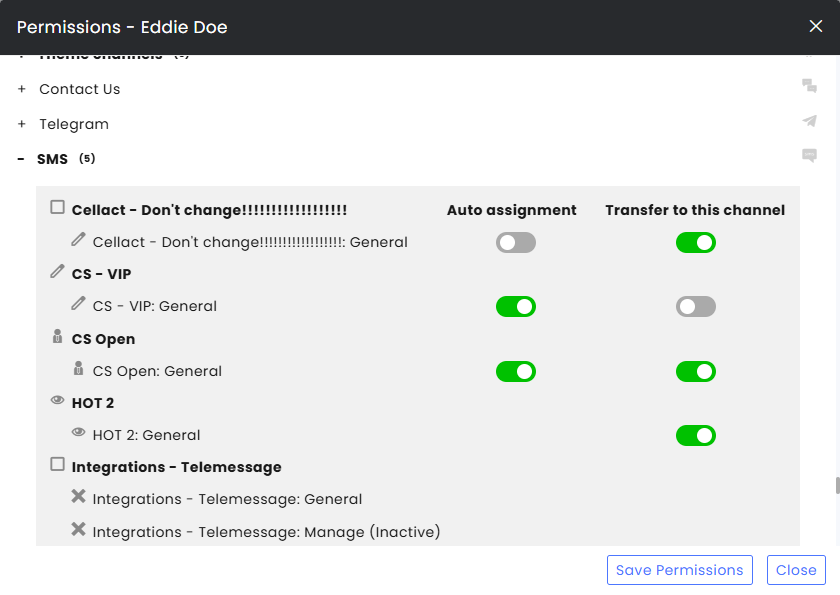
Organizations can now restrict access to channels by blocking the ability to route/transfer conversations to specific channels. With this enhancement, agents can only view channels for which they are authorized, rather than all the organization’s channels. This improves operational efficiency, reduces routing errors, and helps maintain compliance by ensuring conversations are handled only by the appropriate teams.
Click here to learn more about system permissions.
Permissions Customers' Requested Feature
Enhancement – Editing User’s Details
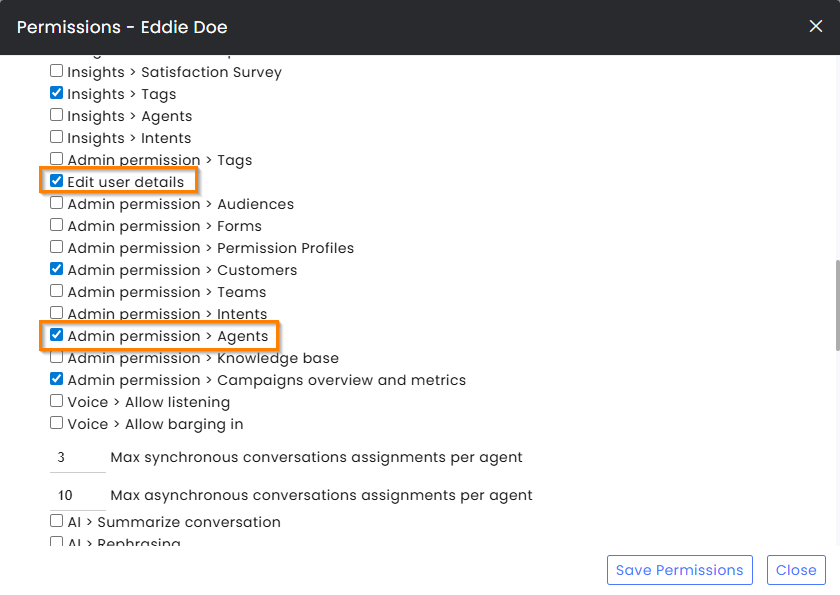
The existing admin permission for managing agents has been split into two permissions to provide finer access control and reduce unnecessary exposure to sensitive user data. The original permission now focuses on basic agent management, including roles, teams, permission profiles, and areas of expertise.
A new permission, Edit User Details, is required to edit agent profile information such as profile picture, name, email address, username, phone number, password resets, and enforcing a password change at the next login, allowing organizations to grant this capability only to users who truly need it.
Click here to learn more about Permission settings.
Dynamics Integration SAP V2 Integration
Enhancement – CRM Click-to-call
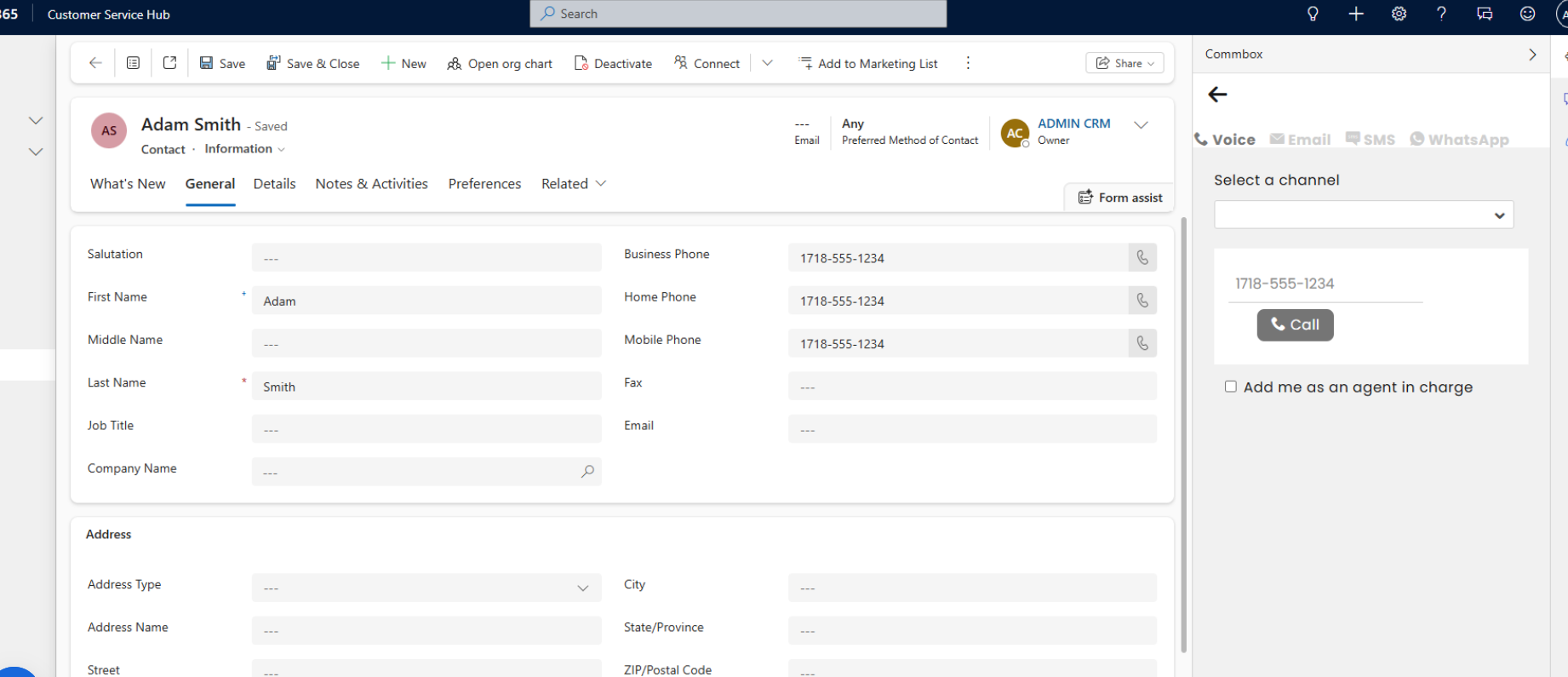
Agents using Dynamics 365 or SAP V2 can now click a customer’s phone number to automatically open the CommBox iFrame in Compose, with the number prefilled and ready for an outbound call. This enhancement complements the existing Salesforce capability, extending click-to-call functionality across all major CRMs.