April 2026 Release Notes
Release Date: April 12, 2026
Release Notes Publication: March 30, 2026
Video Chat Customers Requested Feature
New – WebRTC Video Call Recording
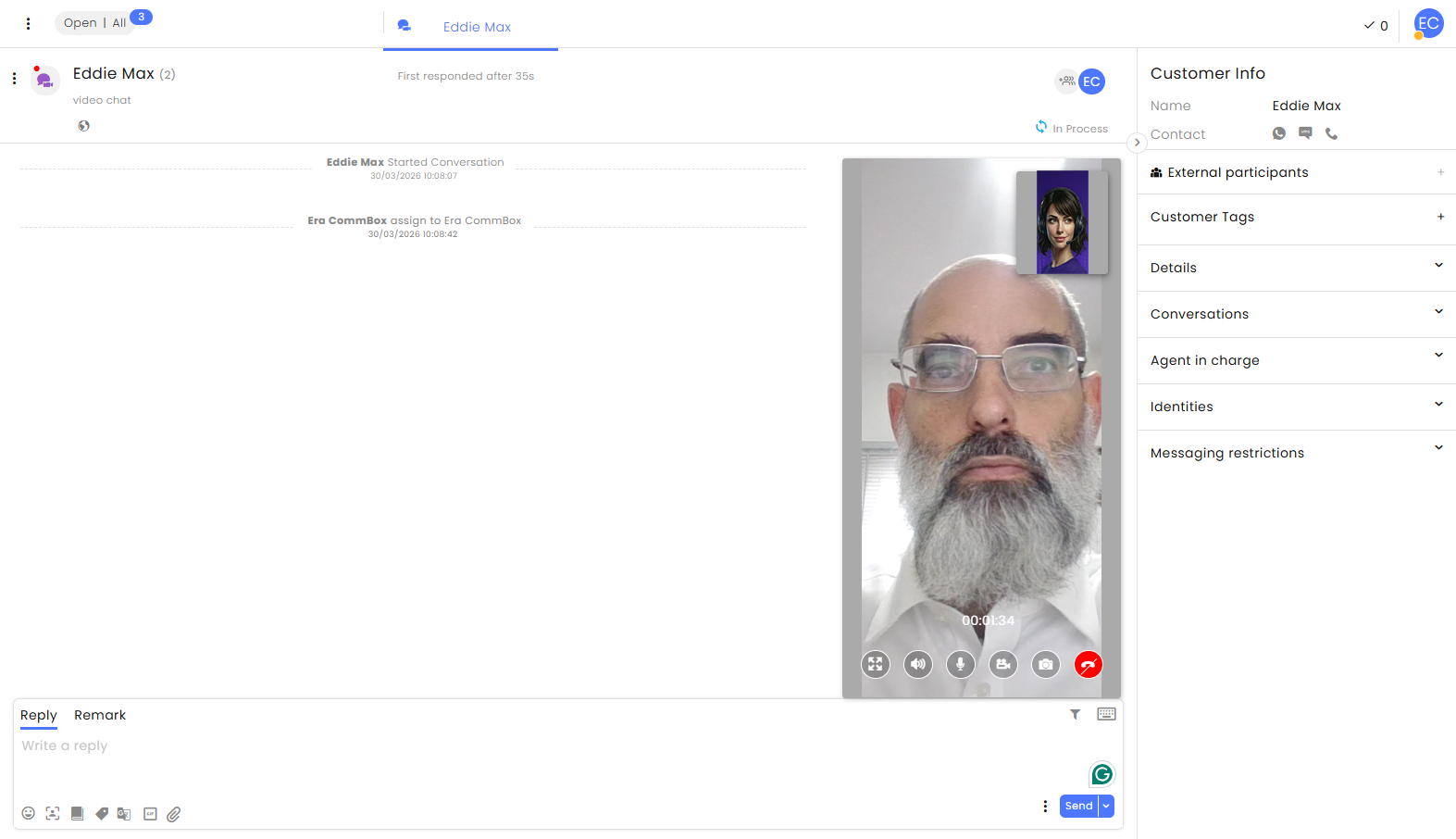
Organizations can now record WebRTC video calls and store them for later review. This enables agents and supervisors to monitor conversations, ensure quality compliance, and download recordings when needed. When recording is enabled in the General section of the channel settings, all calls on that channel are automatically recorded (Defaulted to Off). The recording starts when the call connects and ends when the call disconnects.
Click here for the updated guide.
API WhatsApp Customers' Requested Feature
New – WhatsApp Templates Retrieval API
Organizations can now retrieve approved WhatsApp templates for their WhatsApp channels in CommBox using an API. This enables customers to programmatically access the latest approved templates for each channel and incorporate them into their integrations and automation workflows, without needing to manually check templates in Meta or the CommBox UI.
Click here to learn more about this API.
API Customers' Requested Feature
New – Audience Management APIs
Developers can now create, update, and retrieve organizational Audiences using dedicated APIs. These endpoints allow fetching all audiences, creating new static audiences from a file, and updating existing static audiences by ID, ensuring accurate and consistent audience management.
Learn more about these APIs in our Developer Center.
Flow Builder Customers' Requested Feature
New – Intent Detection in Ask Step
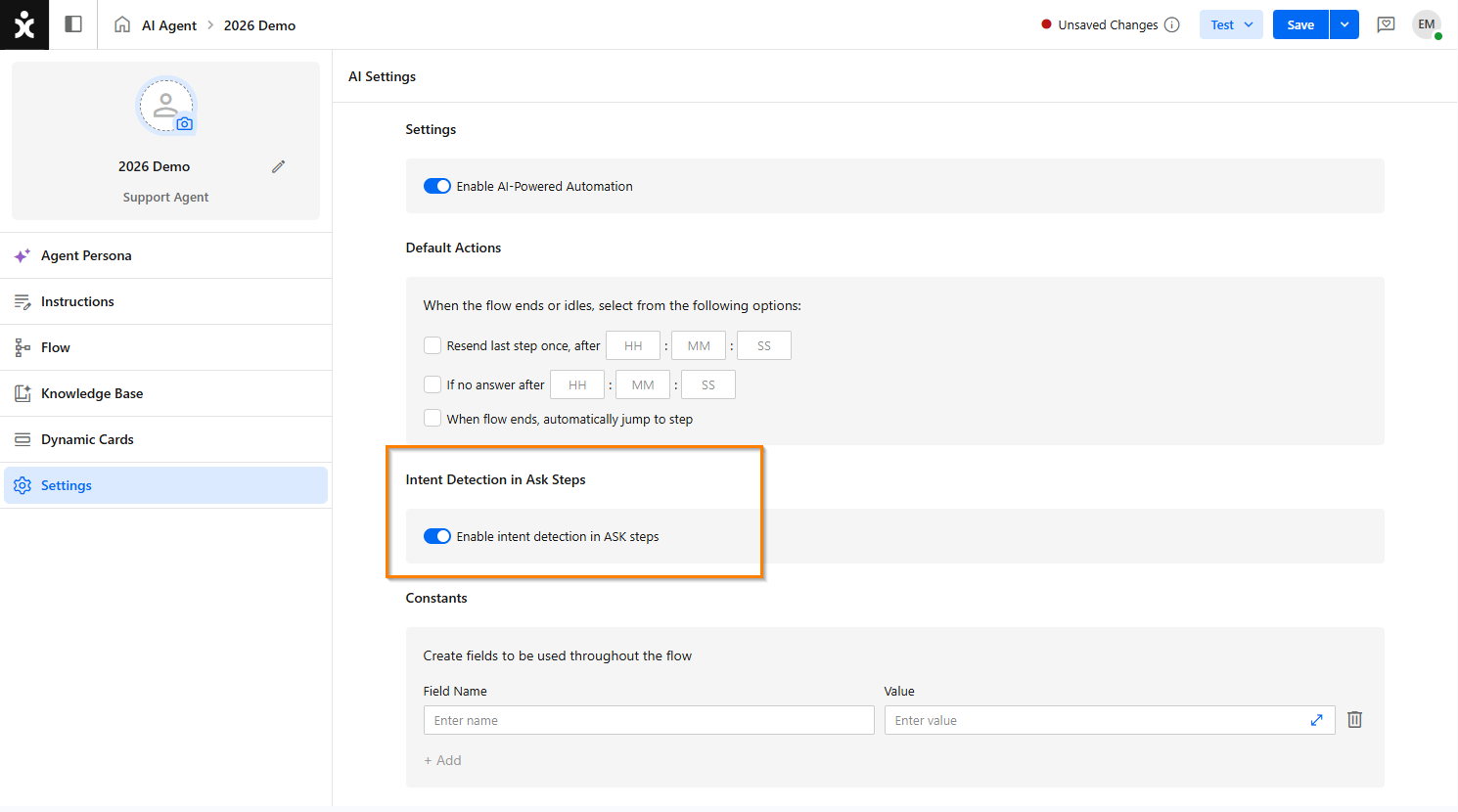
Flows can now detect intents within an ASK step, enabling intent recognition during the data collection process, not just when end users enter free text in standard message steps (nodes).
This enhancement allows for more dynamic, context-aware conversations, improving accuracy and reducing friction throughout user interactions.
Click here to learn more about this topic.
Era AI Customers' Requested Feature
New – Aggregated AI Actions Report
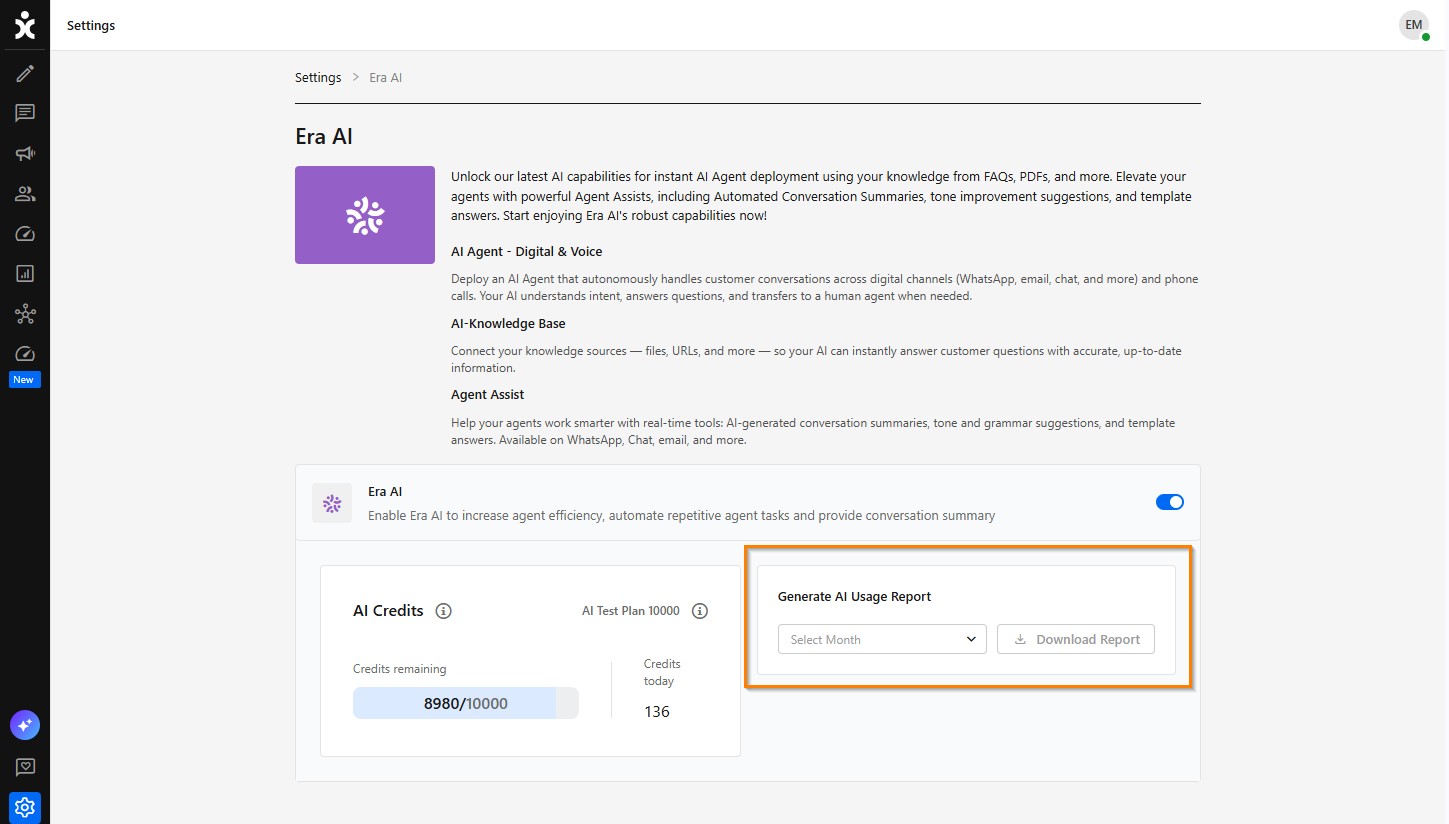
Admins can now export aggregated AI Actions usage data directly from the Era AI settings page, based on a selected month. This enables long-term analysis of organizational usage of AI products and capabilities, while improving monitoring and transparency.
To download the report, navigate to Settings > Era AI, select the desired month you want to view, and click Download Report.
SMS
New – Simasti SMS Interaction
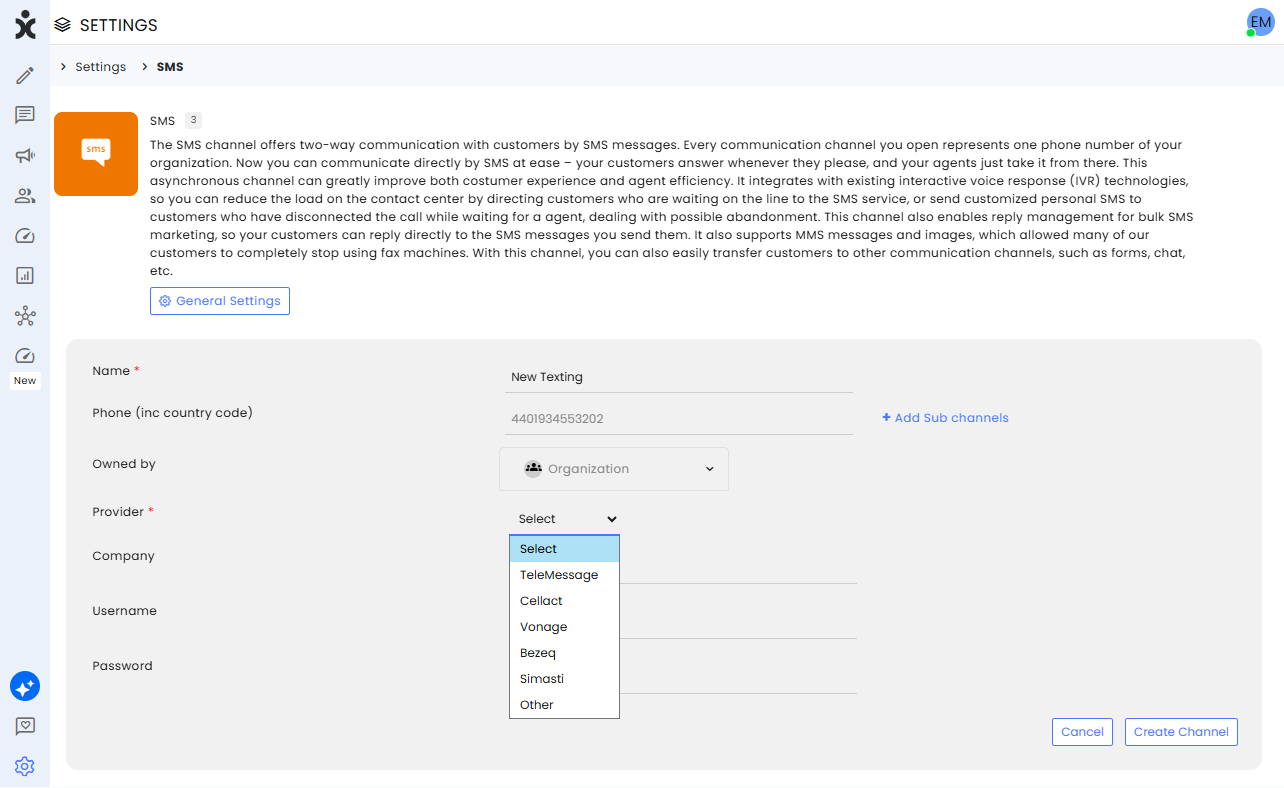
Organizations can now use Simasti as their SMS provider, enabling seamless SMS communication within the platform. To complete the integration, you need to provide Simasti with the API that includes the encrypted channel ID.
Click here to learn more about this process.
Chat Customers' Requested Feature
Enhancement – Bypassing Chat Welcoming Bypassing
Developers can now bypass the chat welcome stage and start conversations immediately when customers enter using a specific installation code. This enables customers who have already completed identification or a preliminary stage through a non-chat channel to continue the conversation seamlessly, without repeating unnecessary or cumbersome steps.
Click here to learn more about this topic.
SAP C4C
Enhancement – Transferring Recordings URL to Phone Activity
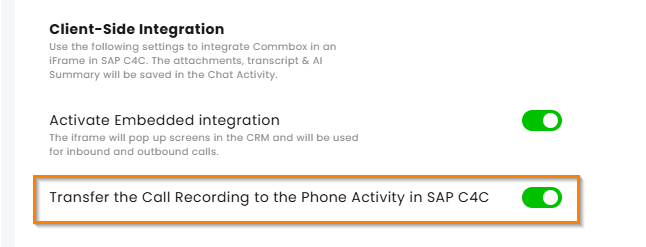
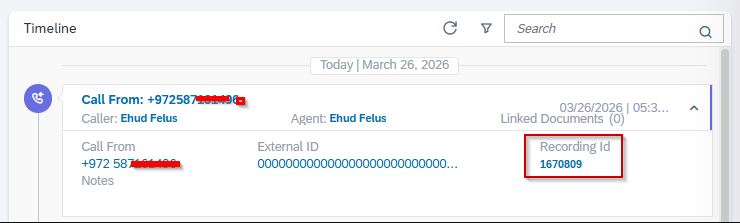
External recording URLs will now be transferred from the CommBox Remarks to the SAP C4C Phone Activity, enabling SAP Service Cloud users to review and evaluate interactions that occurred on non-AWS systems.
Clicking Recording ID will play the recording by Commbox.
API Customers' Requested Feature
Enhancement – UTC Time Zone Format for All APIs
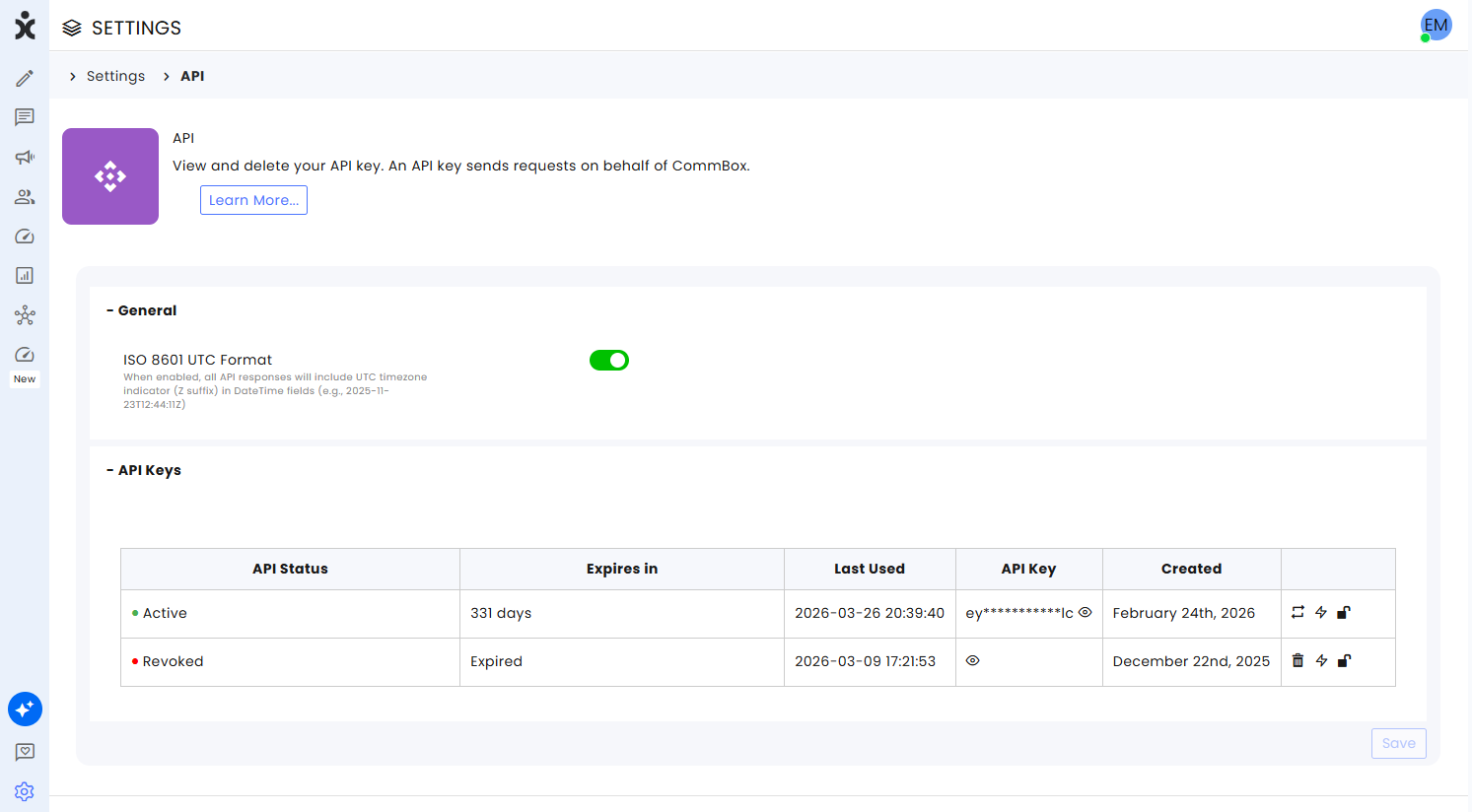
Developers can now enable the UTC indicator (Z suffix) for all date/time fields returned by APIs. By toggling ISO 8601 UTC Format in Settings > API > General, date/time values will include the ‘Z’ (e.g., 2026-03-23T12:44:11Z), ensuring consistent, time-zone-explicit values across integrations and simplifying processing for systems that standardize on UTC.
Knowledge Base
Enhancement – Improved Website Crawling Flexibility
.png)
Users can now choose between Standard (Static) and Dynamic crawling modes when setting up website crawling, allowing them to better match how a site loads content and improve crawl results. Standard crawling is faster and suited for content available on initial page load, while Dynamic crawling supports content that appears after interactions or is loaded dynamically.
Note: Dynamic crawling will become available on April 21, 2026
Click here for our updated user guide.
Chat
Enhancement –Text-free Messages in Chat
.png)
Flow builders and AI agent designers can now prevent users from typing free-text responses in the chat channel, limiting them to buttons or quick replies. This channel-based capability helps ensure structured interactions, restricts customer text input due to information security considerations, and keeps conversations aligned with the intended flow.
To take advantage of this capability, navigate to Settings > Chat > Privacy and Security and toggle on Block Free Text Input.
Note: This channel-level setting overrides step configurations within the Flow builder.
.png)
Voice Channels
Enhancement – Voice AI Agent Ambient Sound Capabilities
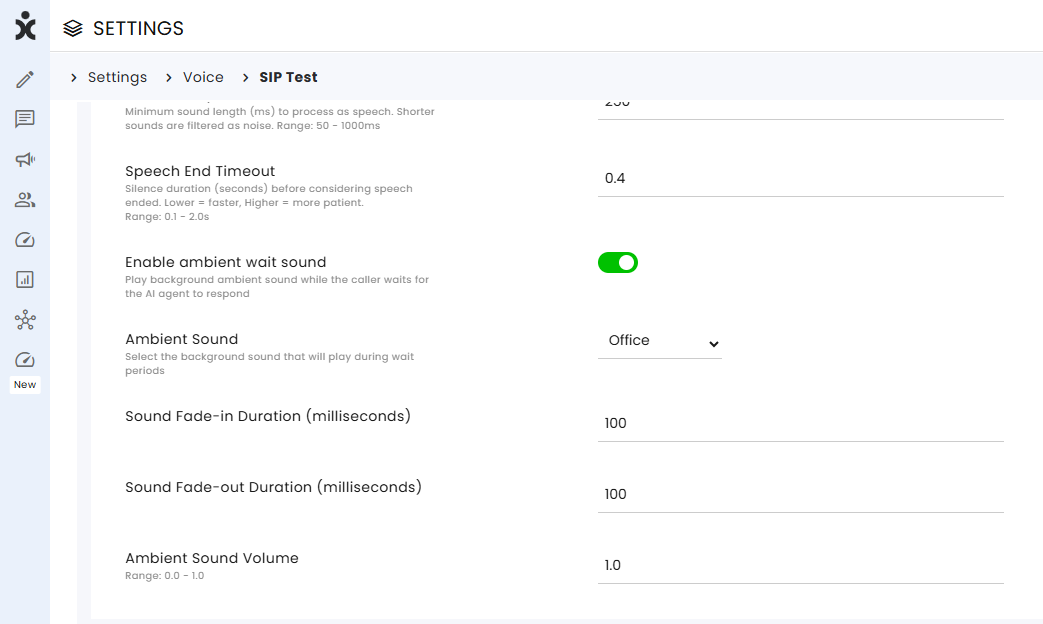
AI Agent designers can now configure ambient background sound for their SIP voice AI agents to improve the realism of the voice interactions, making conversations feel more natural and contextually appropriate.
To use this feature, navigate to Settings > Voice > SIP Voice Channel and select the background sound, its volume, and fade-in/fade-out duration.