2025 Release Notes
Release Date: December 7th, 2025
Release Notes Publication: Nov 25th, 2025
WhatsApp Customers' Requested Feature
New - WhatsApp Coexistence
CommBox now supports WhatsApp Coexistence, allowing agents to use both CommBox and the WhatsApp Business App simultaneously within a single WhatsApp Business Account (WABA). Messages and contacts are fully synchronized, so agents can reply from either platform without missing any communication, providing greater flexibility in managing their tasks.
Note: Existing WhatsApp numbers must complete the onboarding process again to enable Coexistence capabilities.
Click here to learn more about this topic.
Forms Customers' Requested Feature
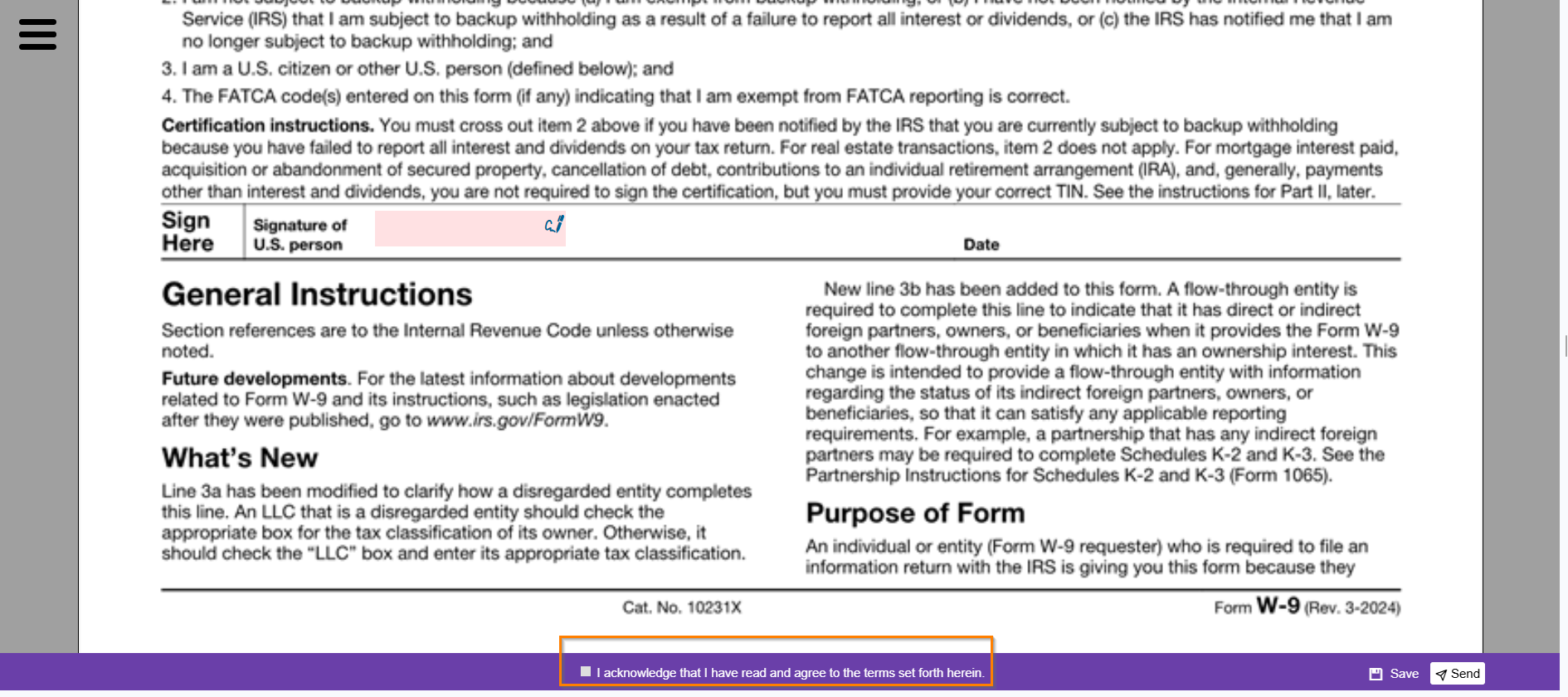
New - Approval Checkbox for Forms
Forms can now include a new declaration checkbox that appears on the sending bar. This checkbox, commonly used by financial and insurance institutions, enables organizations to obtain formal confirmation that the customer has read, understood, and agreed to the terms and conditions outlined in the signed content.
Click here for the updated Forms guide.
Forms Customers' Requested Feature
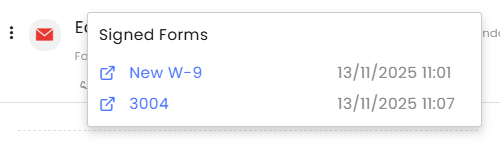
New - Signed Forms Listing
Agents can now easily track which forms have been signed by customers by clicking the form icon at the top of the Inbox. Each signed document is listed with its received date and includes a direct link to the actual file, keeping all related documents conveniently accessible within the same object.
AI Agent
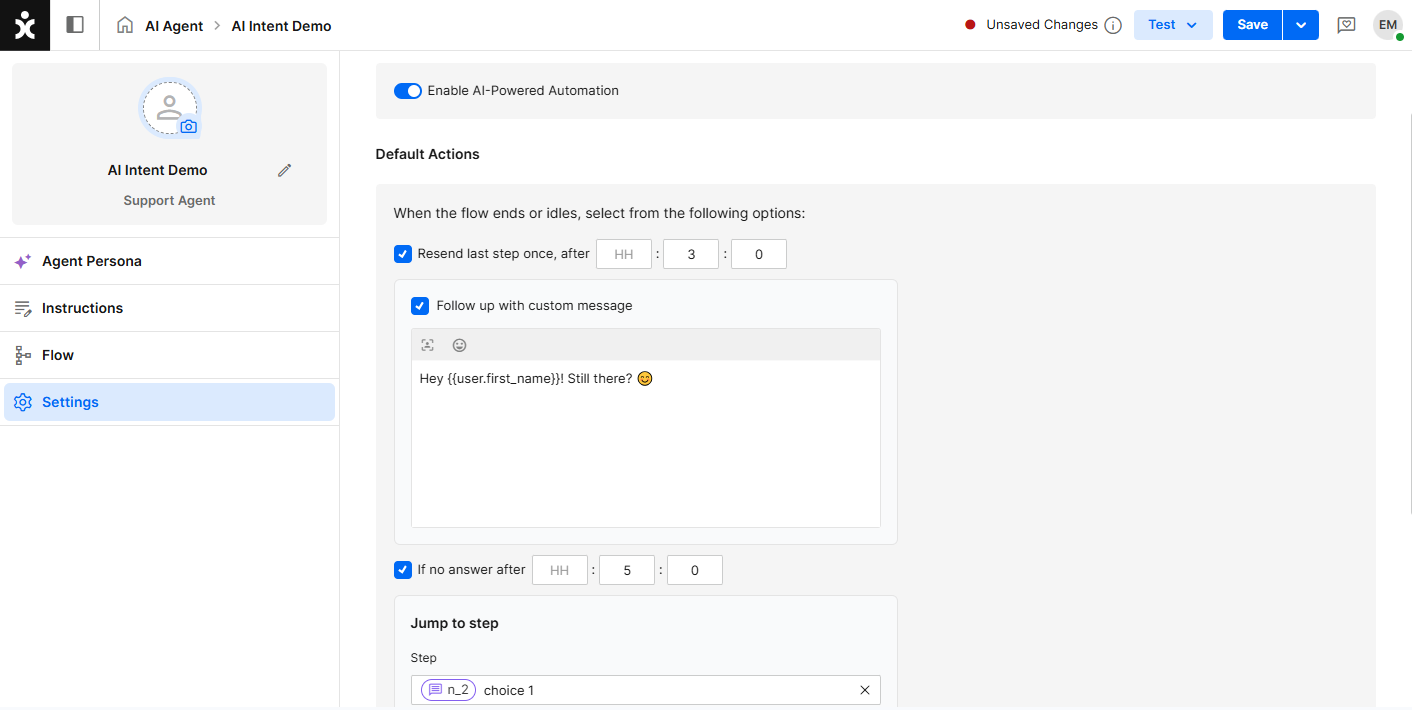
New - Messages to Idling Customers
Flow builders can now create a custom message that appears when the customer idles for a specified time. This capability is part of the general settings of the AI agent that sets a default reaction to unresponsive customers, which improves customer engagement.
Click here for the user guide.
WhatsApp Webhook Customers' Requested Feature
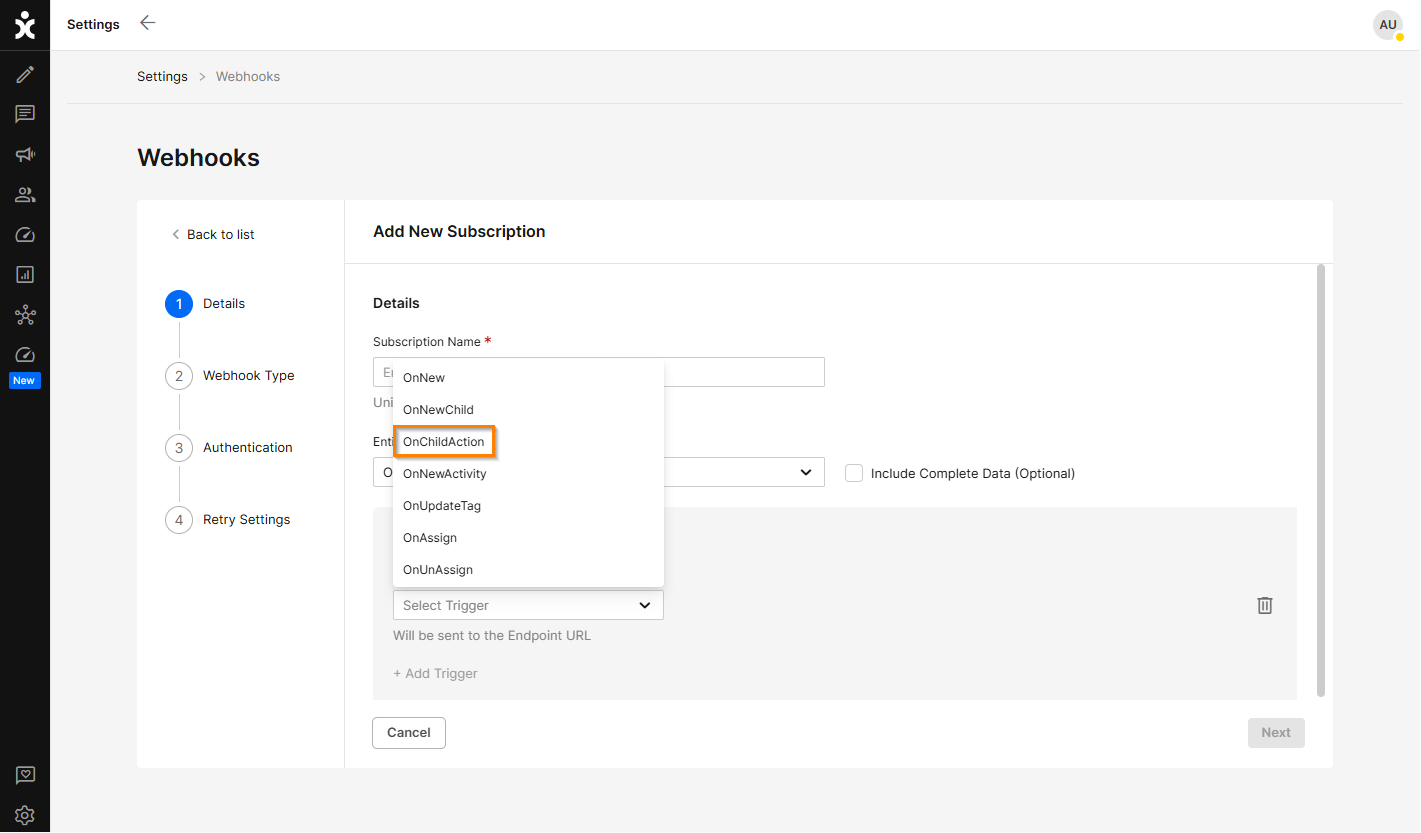
New - WhatsApp Read Receipts Webhook
CommBox clients using an isolated cloud environment can now receive WhatsApp read-receipt events through the new OnChildAction webhook under the Object entity.
This webhook produces JSON events in the CommBox latest version, providing status updates for WhatsApp messages, including sent (✓), delivered (✓✓), and read (✓✓).
Click here for more information.
Maintenance
Enhancement - Flow Builder Version Deletion
Organizations can now automatically delete older versions of the published flows to maintain a healthier environment and avoid systematic slowdown. This capability is managed in the Maintenance module, where admins can enter the number of days after which older versions will be deleted.

Click here to learn more about managing flow versions.
Flow Builder
Enhancement - Sub Flow Configuration
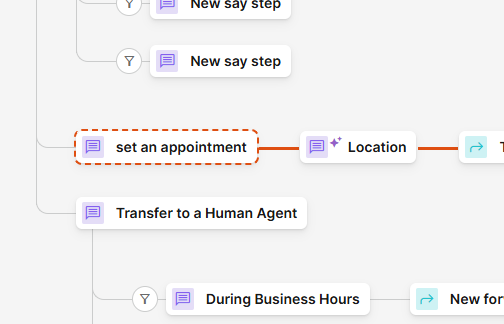
Flow builders can now designate a section of the flow as a subflow with an entry point option, enabling a channel or subchannel’s automation to start directly at the subflow. Each sub-flow features unique visual cues and a description that helps builders define its objectives, improving flow design and capability management.
Click here for the user guide.
Dynamics Integration Customers' Requested Feature
Enhancement - Improving Data Correlation with Dynamics
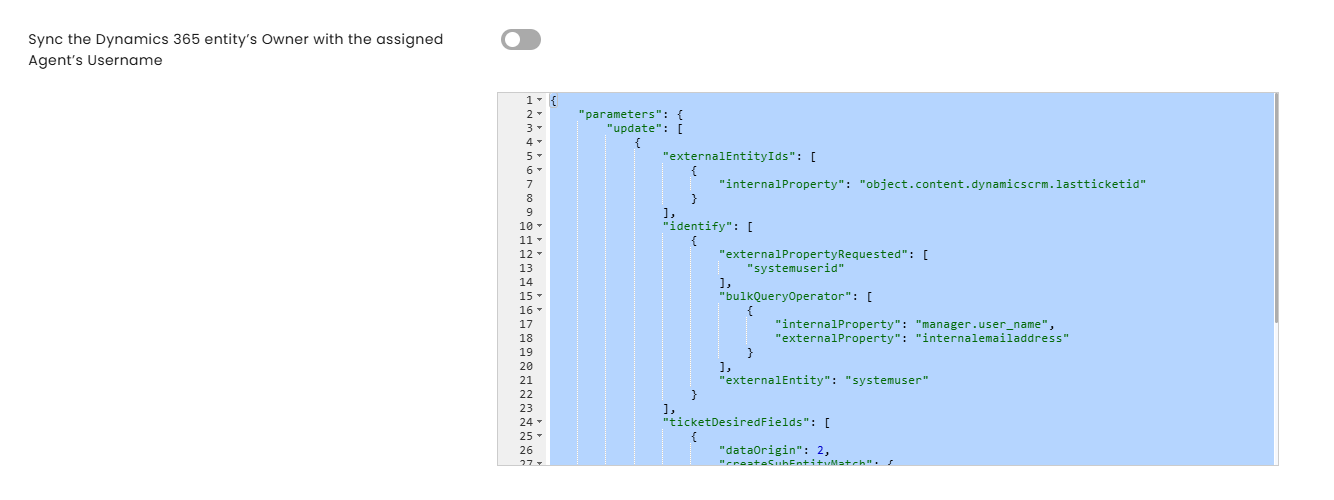
Previously, the Case “Owner” field in Dynamics was populated with an internal system user ID rather than the actual handling agent. With this enhancement, the system will now update the Owner field with the agent’s username from CommBox, triggered when the agent is assigned to the case.
This improvement strengthens data correlation between CommBox and Dynamics 365, ensuring that case ownership, agent performance metrics, SLA tracking, and other KPIs are accurately recorded.
Activate these settings in the Dynamics 365 Integration module.
Priority Integration Customers' Requested Feature
Enhancement - Code Selection Interface
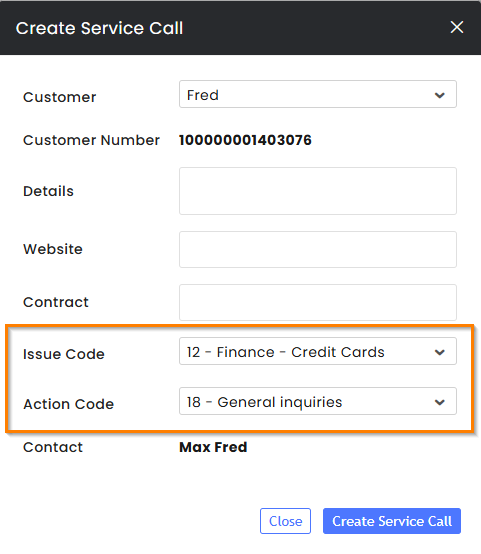
Agents opening a service ticket in Priority will now have descriptive texts next to system codes, enabling agents to quickly document issues by selecting the right option without memorizing numeric codes, saving effort and avoiding mistakes.
Click here for more information about Priority integration.
Email Customers' Requested Feature
Enhancement - Editing Draft Conversations
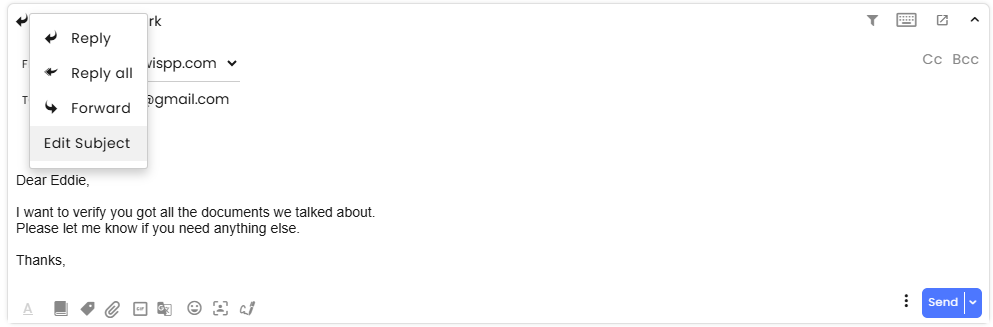
Agents can now conveniently edit their email drafts directly within the reply box and send the finalized message to customers using the Send button. This improvement eliminates the need to copy and paste messages for revisions, streamlining the overall sending process.
As before, to edit the email subject, select Edit Subject from the Reply icon menu located at the top of the reply box.
Security
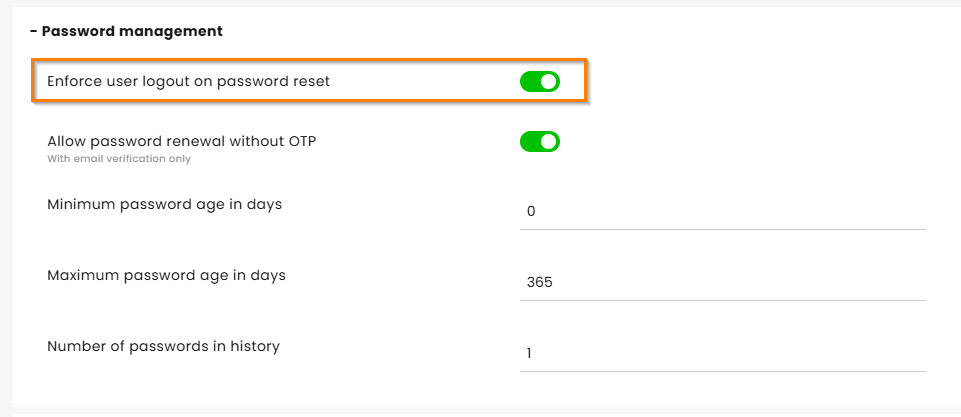
Enhancement - Password Reset Logout
When a system administrator resets a user’s password, the user will now be automatically logged out of all active sessions. This enhancement strengthens organizational data security by ensuring that compromised credentials cannot continue to be used after a password reset.
Users also receive a notification informing them that an administrator has reset their password and that they are being logged out.
Enable this capability at the Password management section of the Privacy and Security module.
Knowledge Base
Enhancement - Website Pack Status Notification
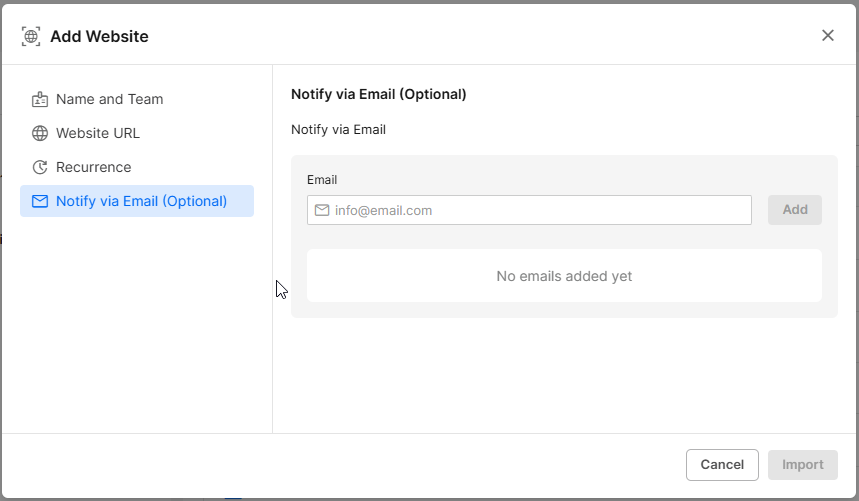
When crawling a website for the AI Agent, admins can now receive an email notification once the process is completed or if it fails. This eliminates the need to manually check the status and allows admins to navigate away from the page or even log out safely.
If recurring crawling is configured, an email notification will be sent after each scheduled run.
Click here to learn more about this topic.